Understanding the Tricks Behind the Network: How Website Pages Turn So Fast

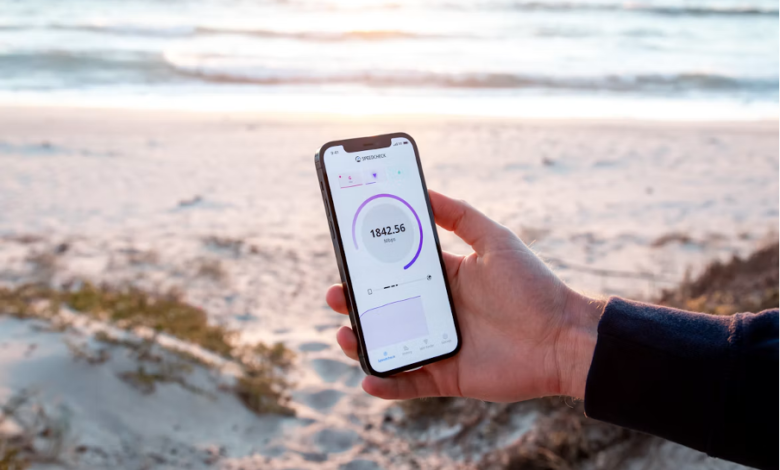
Thousands of pages unfold before our eyes daily. The world is rich in data, ranging from news posts and headlines to streaming content and chatting via the latest apps. But have you ever wrapped your head around the miracle of how fast the Internet can take you to the right page you are searching for? To stop reading information for the sake of it and start looking deeper, pause to consider how much information is hidden behind every single word.
Even when global networks feel instantaneous and weightless, this simplicity is blatantly deceptive. The thing is, beneath this invention lies both physical and mental stamina, backed up by the power of technology and infrastructure. When you enter a URL or access a secure system—like Mostbet Pakistan login—your request travels thousands of miles through fiber-optic cables, gets processed, and returns to you. Let’s break down how this system works in more detail.
Tired of Lagging? Here’s How to Fix It
Website lag is such a common thing that every person on the planet comes across it regularly. The laws of physics are at work here: information on the Internet is transmitted as light pulses through glass strands within high-speed data arteries that span every corner of the globe. Despite light’s near-instantaneous velocity, it still needs a good deal of time to go global.
The round-trip time it takes for data to travel between your device and a server is called latency—often referred to as “ping.” The loading speed of any website is determined by four crucial factors:
- Geographic footprint. The further the server is geographically—where the website is physically stored—away from you, the longer data spends in transit.
- Extra relay points. Data rarely flies direct; instead, it hops across a digital relay of dozens of routers and switches, each brief pit stop adding a microsecond to the journey.
- Equipment load. For example, if thousands of music fans log on at once to buy concert tickets, the server might struggle to process all the requests to access a website.
- “Last mile” quality. This applies to the final leg of the connection—from your internet service provider to your specific device (it can be your home Wi-Fi or a 4G/5G mobile network).
How Websites Avoid Making Us Wait
Just a decade ago, most websites were traditionally hosted on a standalone physical server located within one set of borders. Let’s say, if a site was hosted somewhere in the U.S., but accessed by an Asian or European user, it could take around 10–15 seconds to view its content. Today, that approach is long obsolete. Results are available at the touch of a button, while engineers continue to impress with all-new solutions.
-
CDN networks
Probably the most staggering innovation for accelerating the web, CDN stands for Content Delivery Network. To grasp this term, imagine a network of thousands of replica servers dotted across the world’s major metropolitan hubs. Here’s how it works: when website owners implement a CDN, all images and files are immediately distributed to these intermediate servers. When you request a page, your location is detected, and the data from the closest server is distributed—potentially right from your backyard.
-
Smart compression and archiving
Before transmitting files to the network, servers first compress them via specialized algorithms. Think of it like packing items into a vacuum-sealed bag before a long trip. In turn, your browser receives a lightweight package and unpacks it in a fraction of a millisecond, which reduces data by a factor of 3–5 and slashes wait times for users.
-
On-demand loading (Lazy Loading)
Pixel-perfect web pages can be quite media-heavy, with hundreds of photos and videos overburdening the system. If you choose to download the entire page at once, it will certainly waste your time and traffic. To turn the tide, developers employ “lazy loading,” where the browser fetches the media and assets within the user’s active viewport. Other images and content would be loaded only if you decide to scroll down the page.
Behind the Click: Wait for the Web’s Response
Imagine you are on your favorite browser, preparing to click on the link, but what happens next? This invisible process, which takes only a fraction of a second, is hidden from users’ eyes, with a few distinct stages going on:
- Address lookup (DNS). Humans remember websites by their names, while PCs communicate through IP addresses. First, the browser consults the “internet’s phonebook” (a DNS server) to look up the exact digital address of the URL you have typed.
- Secure handshake (SSL/TLS). To keep your passwords and data protected, your browser and server should work in unison to avoid any possible leakage. For this purpose, secret keys are exchanged.
- Requesting the page. For users’ convenience, the browser requests the page structure, receives the core code, and then fetches the remaining elements—fonts, styles, scripts, and images—in a row.
- The browser renders raw program code into a high-fidelity interface packed with buttons, text, and animations that appear on your device later.
Surrounded by the Web: What Comes Next?
Network development never truly pauses. Older data transmission standards (HTTP/1.1 and HTTP/2) fade out; they are being superseded by HTTP/3. This upgraded connection standard acts like a bridge into the future, even when a rainy day threatens network stability.
Previously, if your phone was switched from home Wi-Fi to a 4G mobile network, a webpage typically froze or triggered an error. With a different connection type, your session remains live. Data keeps flowing without a hitch, and the transition between networks becomes very smooth.
Furthermore, artificial intelligence is how things are managed today, which also touches upon internet traffic. Smart algorithms predict what we click next, and modern networks neutralize physical distance. In the face of these shifting tides, everyday life still requires plain old thinking, no matter how fast technology knocks at the door.


